
The idea of building a comfortable and efficient gaming setup has become increasingly important for gamers around the world. One of the most popular and practical choices for this purpose is the Ikea gaming desk. Instead of being a single product, it refers to various IKEA desk systems that gamers use to create customized gaming stations. These desks are widely known for their simplicity, affordability, and flexibility. Gamers prefer Ikea desks mainly because they offer a balance between price, durability, and design.
Why Choose an Ikea Gaming Desk?
One of the main reasons people choose it is affordability. Traditional gaming desks from premium brands can be expensive, often costing several times more than IKEA options. IKEA provides budget-friendly solutions that allow gamers to build full setups without overspending. This makes it ideal for beginners, students, or anyone building a gaming station on a budget.
Minimalist and clean design options
IKEA is known for its simple and modern design philosophy. Most of its desks follow a clean and minimal style that fits perfectly in gaming environments. This minimalist design also allows gamers to personalize their space with accessories such as LED lights, monitor arms, and gaming peripherals.
Customization flexibility
Another strong advantage of an Ikea gaming desk is customization. IKEA products are designed to be modular, meaning users can mix and match different components. This flexibility allows gamers to design setups based on their space, needs, and style preferences. It also makes upgrades easier in the future.
Strong durability for long-term use
Despite being affordable, IKEA desks are built with durability in mind. When properly assembled, they can handle heavy gaming equipment such as multiple monitors, gaming PCs, and accessories. Many users report long-term use without major issues, making them a reliable choice for daily gaming and work activities.
Best Ikea Gaming Desk Models (Top Picks)
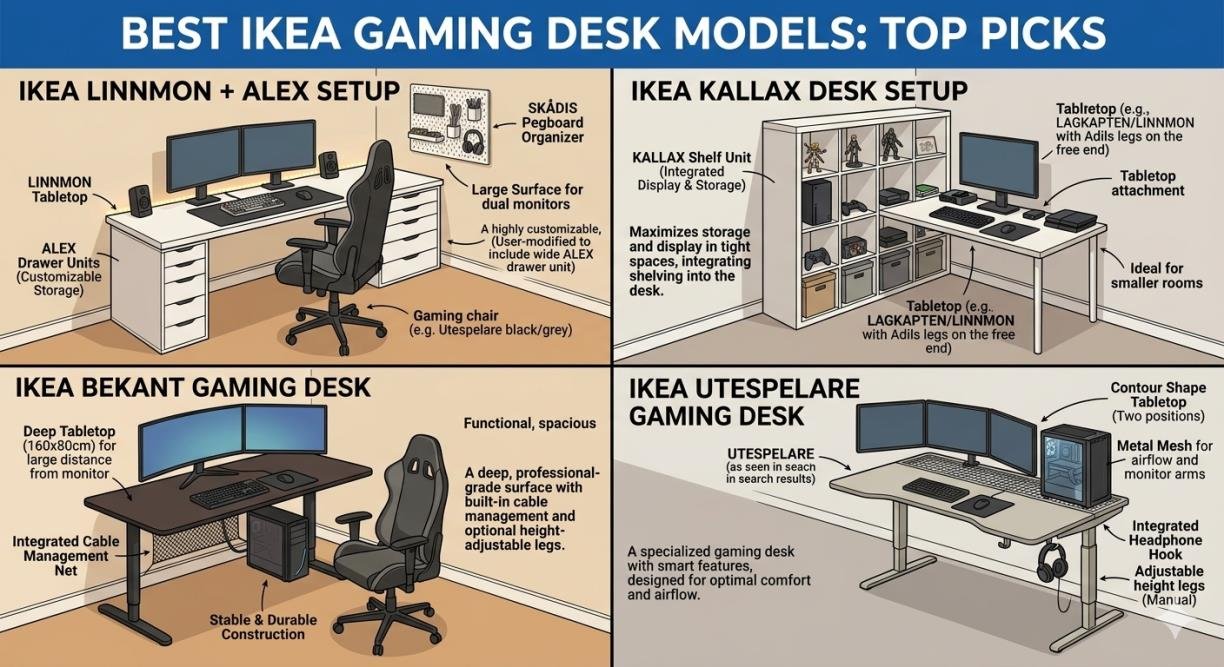
Ikea LINNMON + ALEX Setup
The LINNMON tabletop combined with ALEX drawers is one of the most popular combinations. It provides a large surface area along with storage space. The drawers help keep gaming accessories organized, reducing clutter on the desk. This setup is widely used because it is affordable, stable, and highly customizable.
Ikea KALLAX Desk Setup
The KALLAX system is originally a shelving unit, but many gamers convert it into a desk base. It offers excellent storage options for gaming consoles, books, or accessories. This setup is especially useful for users who want both a desk and storage solution in a single design.
Ikea BEKANT Gaming Desk
The BEKANT series is a more professional desk option from IKEA. It is designed for stability and ergonomics. It often includes features like cable management and adjustable height in some models. This makes it suitable for users who want a more office-style gaming setup with a clean appearance.
Ikea UTESPELARE Gaming Desk
UTESPELARE is one of IKEA’s products specifically designed with gaming in mind. It includes features such as cable management, a sleek gaming design, and a surface suitable for multiple monitors. This desk is ideal for users who want a ready-made gaming-focused solution without needing heavy customization.
Which one is best for gamers?
The best choice depends on the user’s needs. For customization and budget setups, LINNMON + ALEX is the best option. For a ready gaming experience, UTESPELARE is more suitable. For professional or office-style gaming, BEKANT is a strong choice. KALLAX is best for users who want storage combined with workspace.
Best Ikea Gaming Desk Setup Ideas
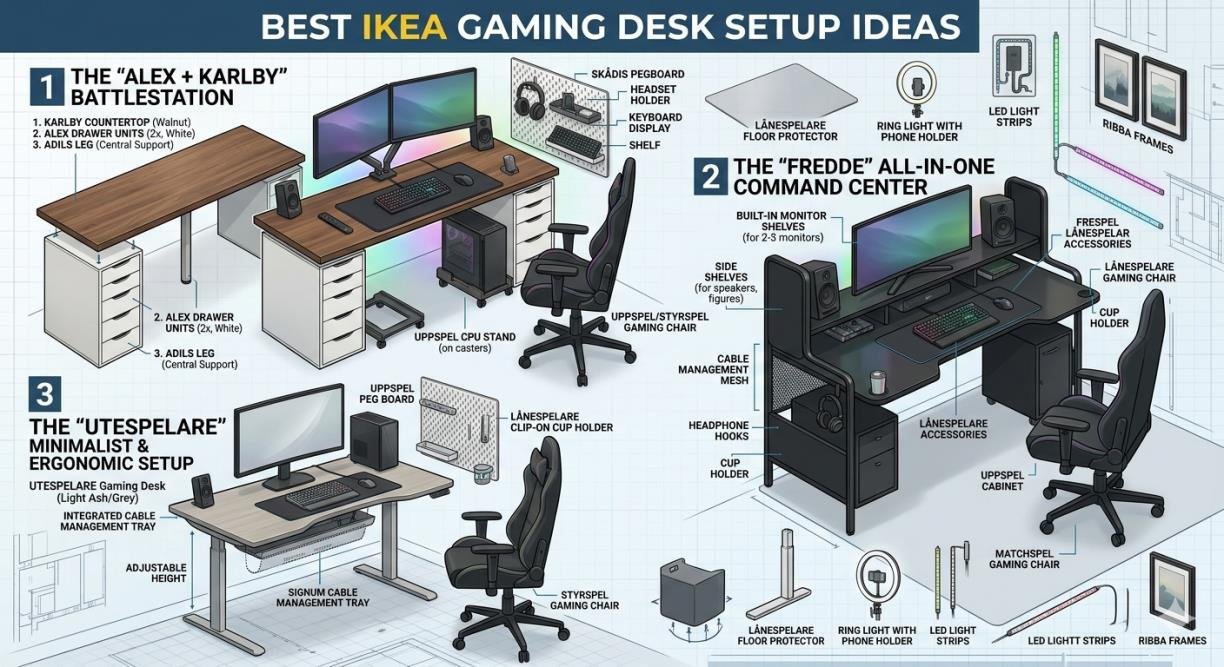
A minimalist setup focuses on simplicity. It includes only essential items such as a monitor, keyboard, mouse, and a clean desk surface. This type of setup reduces distractions and creates a calm environment suitable for both gaming and productivity.
RGB gaming setup
Many gamers prefer adding RGB lighting to enhance the gaming atmosphere. LED strips placed under the desk or behind monitors create a modern visual effect. When combined with an it, RGB lighting transforms a simple setup into an immersive gaming environment.
Small room gaming setup ideas
For users with limited space, IKEA offers compact desk options that fit small rooms. Wall-mounted shelves can also be used to save desk space. A small Ikea gaming desk setup can still be highly functional when organized properly.
Dual monitor setup
A dual monitor setup is common among gamers and streamers. IKEA desks can easily support this configuration, especially when paired with monitor arms. This helps free up space on the desk while improving viewing angles.
Streaming setup using Ikea desk
Many content creators use IKEA desks for streaming setups because they provide enough space for cameras, microphones, lighting, and multiple screens. The clean design also helps create a professional appearance on camera.
How to Build the Perfect Ikea Gaming Desk Setup
Selecting the correct desk size is important. A larger desk is better for multi-monitor setups and additional accessories, while smaller desks are suitable for compact setups. Planning ahead ensures better comfort and usability.
Cable management tips
Cable management plays a key role in keeping the setup clean. Using clips, trays, and cable sleeves helps organize wires and prevents clutter. A well-managed cable system improves both aesthetics and functionality.
Monitor placement guide
Proper monitor placement reduces strain on the neck and eyes. The top of the screen should be at eye level, and the monitor should be positioned at a comfortable viewing distance. Monitor arms are often used to achieve better positioning on IKEA desks.
Lighting setup
Lighting significantly affects the gaming experience. A combination of natural light and soft RGB lighting creates a balanced environment. Avoid excessive brightness that may cause screen glare or discomfort during long gaming sessions.
Must-Have Accessories for Ikea Gaming Desk
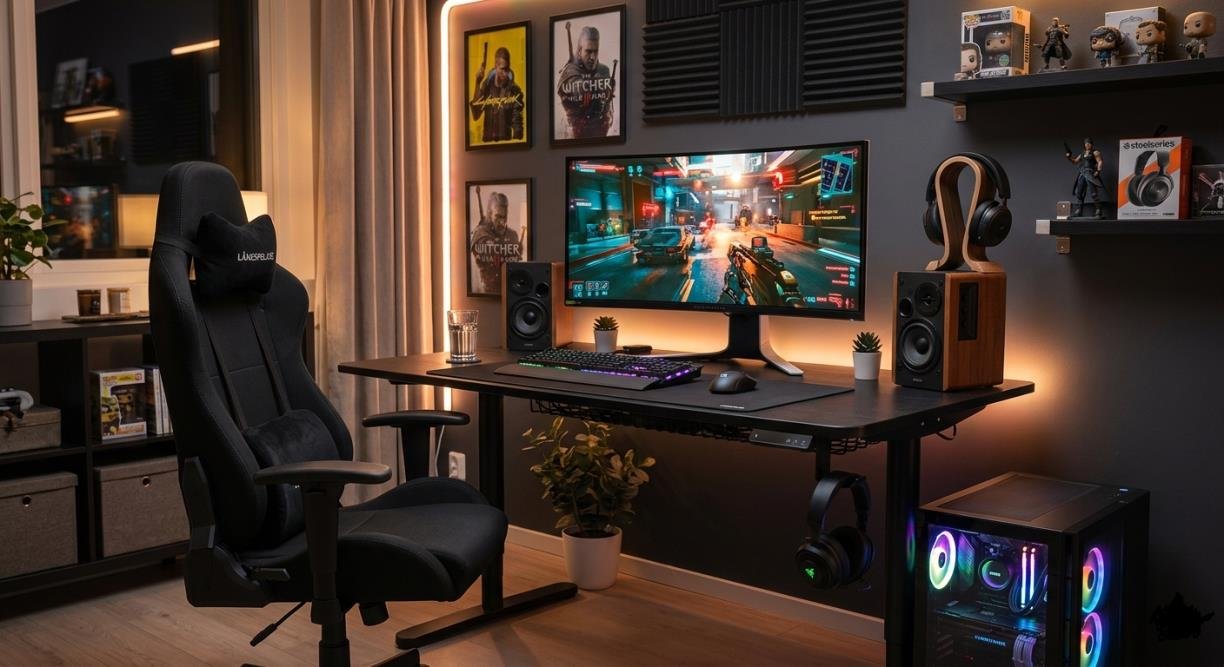
- Monitor stands and arms: Monitor arms help save desk space and allow flexible positioning. They are especially useful for dual or triple monitor setups.
- Gaming chair compatibility: A comfortable chair is essential for long gaming sessions. Ergonomic chairs work well with IKEA desks and improve posture.
- Mouse pad and desk mats: Large desk mats protect the surface and provide smooth mouse movement. They also enhance the overall look of the setup.
- LED lighting strips: LED strips add aesthetic value and improve the gaming atmosphere. They are commonly placed under the desk or behind monitors.
- Cable management tools: Tools such as cable clips, sleeves, and trays help maintain a clean and organized workspace.
Ikea Gaming Desk vs Other Gaming Desks
- Price comparison: IKEA desks are significantly more affordable than most branded gaming desks. This makes them accessible to a wider audience.
- Build quality comparison: While premium gaming desks may feel heavier, IKEA desks offer reliable durability when assembled correctly and used properly.
- Design flexibility comparison: IKEA provides greater customization options compared to fixed-design gaming desks. Users can create personalized setups based on their needs.
Final Thoughts
The Ikea gaming desk remains one of the most practical and popular choices for gamers worldwide. It offers a strong balance of affordability, design flexibility, and durability. Whether someone is building a simple setup or a professional streaming station, IKEA provides multiple options to suit different needs. With proper planning, accessories, and organization, an IKEA desk can easily be transformed into a high-quality gaming station.
FAQs About Ikea Gaming Desk
Is Ikea good for gaming desks?
Yes, IKEA desks are widely used for gaming because they are affordable, flexible, and easy to customize.
Which Ikea desk is best for gaming?
UTESPELARE is best for gaming-focused use, while LINNMON + ALEX is best for customization and budget setups.
Can Ikea desks hold multiple monitors?
Yes, most IKEA desks can support multiple monitors if properly assembled and supported with monitor arms.
Are Ikea gaming desks durable?
Yes, they are durable for everyday gaming use when assembled correctly and not overloaded.