
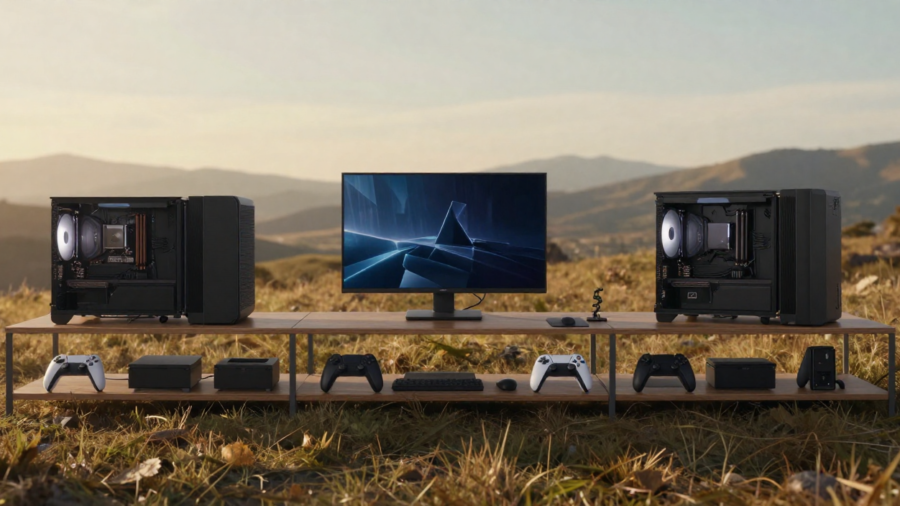
Building the perfect console gaming setup isn’t just about having the best gaming console — it’s about creating an environment that immerses you in your gaming world. Whether you’re a casual gamer or a seasoned pro, a thoughtfully designed gaming space can enhance your experience. In this step-by-step guide, we’ll show you how to create the ultimate console gaming setup. Let’s dive into the essentials of building a setup that brings your games to life!
Why a Good Console Gaming Setup Matters
Your console gaming setup is more than just a collection of gadgets — it’s where you escape into your favorite games. A good setup improves comfort, boosts performance, and ensures your gear lasts longer. From having a solid chair for proper posture to investing in the right display and audio equipment, each piece plays a role in optimizing your gaming experience. A well-planned setup minimizes distractions, maximizes immersion, and helps you stay comfortable during those long gaming sessions.
Perfect Console Gaming Setup Step by Step
Step 1: Choose the Right Gaming Console
When choosing a gaming console, it all comes down to personal preference and what matters most to you. Here’s a breakdown:
- PlayStation: Known for its exclusive games like The Last of Us and Spider-Man, the PlayStation offers an immersive experience with high performance.
- Xbox: If you value performance and integration with services like Game Pass, Xbox is an excellent choice. It’s perfect for those who want to play the latest AAA titles with stunning visuals.
- Nintendo Switch: Ideal for portability and family-friendly games, the Switch offers a unique hybrid design, allowing you to game both on your TV and on the go.
When selecting your console, consider storage, performance, and exclusive games that appeal to you. Opting for a console that aligns with your gaming preferences will lay the foundation for the rest of your console gaming setup.
Step 2: Pick the Best Display for Console Gaming
Choosing the right display can dramatically enhance your gaming experience. Here’s what to consider:
- TV vs Gaming Monitor: TVs offer large screens, making them ideal for lounging on the couch, while gaming monitors tend to have faster refresh rates and better response times, making them great for competitive gaming.
- Screen Size: Bigger isn’t always better. A screen size between 43-55 inches works well for most setups.
- Resolution & Refresh Rate: Aim for a 4K resolution if your console supports it, and a refresh rate of 120Hz or more for smoother gameplay.
- HDR: High Dynamic Range (HDR) can make colors pop and create more depth in dark and bright scenes.
For the best console gaming setup, prioritize a display with low input lag, good color accuracy, and support for the resolution and frame rates your console can handle.
Step 3: Select a Comfortable Gaming Chair or Seating
Your choice of seating plays a huge role in comfort. Long hours of gaming can take a toll on your posture and body, which is why an ergonomic chair is essential. Here’s a comparison:
- Gaming Chair: These are designed to provide support for long hours. Look for adjustable armrests, lumbar support, and recline options.
- Sofa Setup: If you prefer a more relaxed experience, a comfy sofa can work — just make sure to add cushions or supports to improve posture.
Ergonomics are key in a console gaming setup. Ensure your chair keeps you comfortable and aligned for those extended gaming sessions.
Step 4: Get the Perfect Gaming Desk or TV Unit
Your console gaming setup needs a good foundation to house your gear:
- Desk Setup: Ideal for smaller spaces, a gaming desk keeps everything organized and easily accessible.
- Living Room Setup: If you’re going for a more casual experience, a TV unit is a great option. Make sure it has ample space for your console and accessories.
Consider space management and cable access to avoid clutter and keep everything within reach.
Step 5: Essential Gaming Accessories You Need
A console gaming setup isn’t complete without these essential accessories:
- Controllers & Charging Docks: Extra controllers are a must for multiplayer sessions. Charging docks ensure they’re always ready to go.
- Headsets & Speakers: A good gaming headset offers immersive sound, while high-quality speakers or soundbars elevate your audio experience.
- External Storage & Cooling Stands: Some consoles may need additional storage, especially for larger games. Cooling stands help maintain optimal performance by preventing overheating.
Investing in these accessories will make your console gaming setup more functional and enjoyable.
Step 6: Set Up Audio for Immersive Gaming
Audio is just as important as visuals in creating an immersive experience. Here’s how to choose the right setup:
- Gaming Headsets: Ideal for private, immersive gaming. Look for headsets with good sound isolation and clear mic quality for multiplayer games.
- Surround Sound Systems: If you prefer a more cinematic experience, surround sound systems or high-quality soundbars can fill the room with rich audio.
You can choose from budget options that deliver solid performance or invest in premium systems for the best sound quality. Either way, audio plays a vital role in your console gaming setup.
Step 7: Organize Cables for a Clean Setup
Cable management is essential to prevent a messy, tangled console gaming setup. Use cable management boxes, clips, or sleeves to keep wires organized. Here are some tips:
- Wireless Solutions: Opt for wireless controllers, headsets, or charging stations to minimize cables.
- Power Strips & Surge Protectors: Keep your gear safe and ensure you have enough outlets for all your devices.
Good cable organization not only keeps your setup neat but also prevents overheating and accidents.
Step 8: Lighting Ideas for a Console Gaming Setup
Lighting can completely transform your console gaming setup. Here are some options:
- RGB Lights & LED Strips: These can add color to your space and enhance the atmosphere.
- Ambient Lighting: Add some subtle lighting behind your screen (like bias lighting) to reduce eye strain and create a mood.
Proper lighting can also help with eye comfort during long gaming sessions, making it an essential element in your console gaming setup.
Step 9: Internet & Power Setup for Smooth Gaming
To avoid lag and interruptions, you’ll need a solid internet and power setup:
- Wired vs Wi-Fi Connection: A wired connection is more stable for online gaming, but if Wi-Fi is your only option, make sure your router supports high-speed connections.
- Surge Protectors & UPS: Protect your gear from power surges with surge protectors and consider a UPS (Uninterruptible Power Supply) for backup power during outages.
A reliable power and internet connection is critical to avoid disruptions in your console gaming setup.
Step 10: Customize Your Setup for Style & Personality
Make your console gaming setup your own with personal touches:
- Wall Posters, Shelves, & Figurines: Add character to your space with posters of your favorite games or gaming-themed decorations.
- Theme-Based Ideas: Create a console gaming setup that reflects your style, whether it’s minimalist, retro, or themed around a specific game.
Customizing your setup is a great way to express your personality and make your gaming space feel truly yours.
Budget vs Premium Console Gaming Setup
| Component | Low-Budget Setup | Premium Setup |
|---|---|---|
| Gaming Console | PlayStation 4 or Xbox One | PlayStation 5 or Xbox Series X |
| Display | 1080p TV or budget monitor | 4K HDR TV or high-end monitor |
| Gaming Chair | Budget ergonomic chair | High-end gaming chair |
| Audio | Budget headphones | Premium surround sound system |
| Storage | 1TB external HDD | 2TB SSD or external SSD |
Whether you’re a beginner or a seasoned pro, you can tailor your console gaming setup to fit your budget.
Common Mistakes to Avoid When Building a Console Gaming Setup
Building the perfect console gaming setup takes time, but there are a few common mistakes to avoid:
- Poor Ventilation: Not allowing your console to breathe can lead to overheating and performance issues.
- Wrong Screen Size: Too large or too small a screen can ruin the experience. Find the right size for your space and needs.
- Ignoring Comfort & Posture: Skipping ergonomic seating or not considering posture can lead to discomfort and long-term health issues.
Avoiding these mistakes will ensure you get the most out of your console gaming setup.
Conclusion
A well-built console gaming setup can take your gaming to the next level, offering better performance, comfort, and immersion. By following these steps, you’ll be able to create a space that enhances your gaming experience, whether you’re in it for the thrill of competition or just to relax and enjoy your favorite titles. Keep your setup organized, personalize it to your liking, and most importantly — game on!