
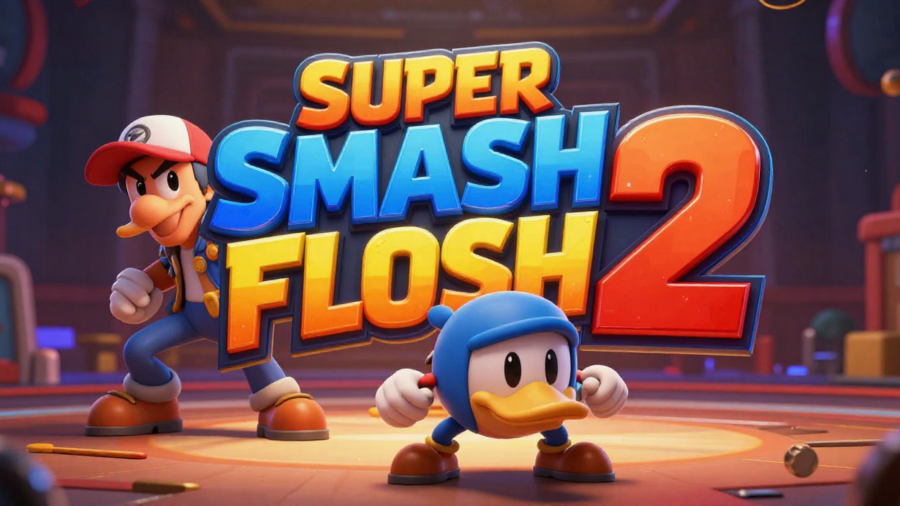
If you’ve ever been a fan of fighting games, chances are you’ve heard of Super Smash Flash 2. This fan-made crossover fighting game has captured the hearts of players around the world with its fun gameplay, expansive roster, and free-to-play accessibility. We’ll show you everything you need to know about Super Smash Flash 2 download, installation, and getting started with the game safely.
What is Super Smash Flash 2?
Super Smash Flash 2 is a platform fighting game developed by McLeodGaming and a dedicated fan community. Unlike the original Nintendo games, SSF2 is entirely free and can be played both online and offline.
Key features include:
- Extensive character roster: Over 40 characters from popular video games.
- Multiple game modes: Free-for-all, team battles, and classic arcade-style modes.
- Custom stages and items: Players can enjoy dynamic combat environments.
- Accessible gameplay: Easy to pick up for beginners yet challenging for veterans.
Why Download Super Smash Flash 2?
There are several reasons why fans are eager to complete a Super Smash Flash 2 download:
- It’s free: You don’t need to pay to enjoy full gameplay.
- Multiplayer support: Play with friends locally or online.
- Unique characters and stages: Offers content not found in official Smash games.
- Regular updates: The community continues to release bug fixes and improvements.
Unlike other fighting games, SSF2 is accessible to everyone, making it a perfect choice for casual and competitive players alike.
System Requirements Of Super Smash Flash 2 Download
Before downloading, ensure your device meets the following:
Minimum Requirements
- OS: Windows 7 or later / Mac OS X 10.10+
- Processor: 2.0 GHz dual-core
- RAM: 2 GB
- Graphics: Integrated graphics (Intel HD or similar)
- Storage: 1 GB free
Recommended Requirements
- OS: Windows 10 / Mac OS X 10.14+
- Processor: 2.5 GHz quad-core or higher
- RAM: 4 GB+
- Graphics: Dedicated GPU (NVIDIA/AMD)
- Storage: 2 GB free
For browser play, make sure your browser supports Flash emulation or HTML5 for the online version, and a stable internet connection is recommended.
How to Download Super Smash Flash 2
You can safely download Super Smash Flash 2 Download using the official source: supersmashflash.com.
Step-by-step guide:
- Visit the official SSF2 download page.
- Choose your platform:
- Windows PC: Click the Windows download link and save the installer.
- Mac: Download the Mac version and allow permissions in System Preferences.
- Browser version: Play directly using supported browsers via HTML5.
- Verify the download to ensure it’s from the official site to avoid malware.
How to Install & Launch the Game
After the download:
Windows Installation:
- Run the downloaded installer.
- Follow the prompts to select the installation folder.
- Once installed, double-click the SSF2 icon to launch.
Mac Installation:
- Open the downloaded .dmg file.
- Drag SSF2 into your Applications folder.
- If blocked by Mac security, go to System Preferences → Security & Privacy → Open Anyway.
Once installed, configure your controls and you’re ready to play.
Gameplay Tips for Beginners
SSF2 may seem fast-paced, but a few tips can help you get started:
- Learn the basic controls: Movement, jumping, attacks, and special moves.
- Pick beginner-friendly characters: Characters like Mario and Kirby are easy to control.
- Practice in single-player mode: Understand combos, timing, and stage hazards.
- Use items strategically: Items can turn the tide of battle if used wisely.
Best Characters in Super Smash Flash 2
Some fan-favorite characters include:
- Mario: Balanced and beginner-friendly.
- Sonic: Fast with strong mobility.
- Kirby: Versatile and forgiving for new players.
- Goku: Powerful attacks and unique abilities.
Experiment with different characters to find one that matches your playstyle.
Common Issues & How to Fix Them
Some players experience:
- Download errors: Ensure a stable internet connection and use the official download link.
- Game crashes: Update your graphics drivers or try running in compatibility mode.
- Lag in browser version: Switch to the downloadable version for smoother gameplay.
For most problems, the SSF2 forums and official changelog pages provide community-tested solutions.
Wrapping up
Super Smash Flash 2 Download is simple, safe, and rewarding. With this guide, you now know how to download, install, and get started with the game. Whether you’re a newcomer or a seasoned player, SSF2 offers hours of free fun and competitive gameplay.
FAQs Super Smash Flash 2 Download
Is Super Smash Flash 2 free?
Yes! You can download and play the full game completely free without any hidden costs.
Can I play online with friends?
Absolutely. The online version supports multiplayer battles through HTML5 so you can compete with friends.
Is it safe to download?
Always download from the official site, supersmashflash.com. Avoid unofficial or third-party sources.
Are updates available regularly?
Yes. The developers release updates and bug fixes periodically to improve gameplay and fix issues.
Which platforms can I play Super Smash Flash 2 on?
You can play on Windows, Mac, or directly in your browser using the official SSF2 download or HTML5 version.
[…] Whether you’re troubleshooting a bug, preparing to sell your TV, or just want a fresh start, this guide walks you through everything in a clear and simple […]