
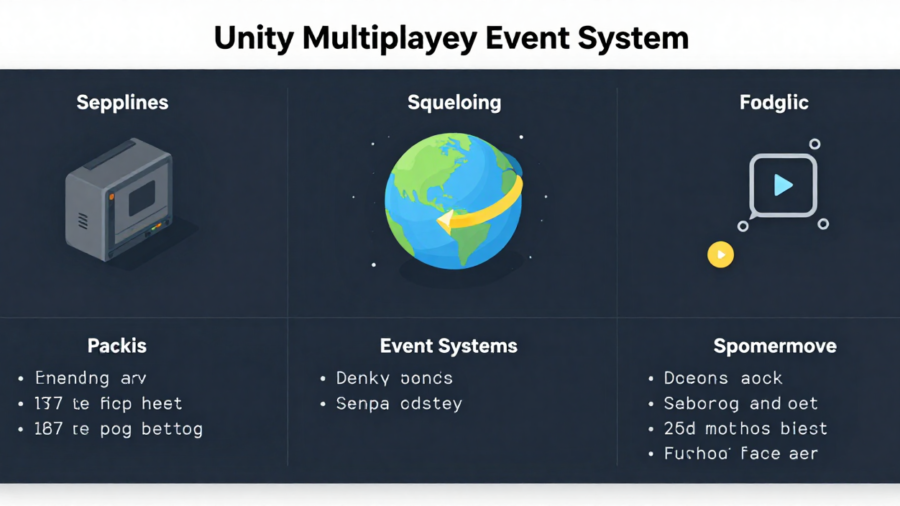
Unity is one of the most popular game development platforms today, offering developers a rich environment to create stunning and interactive games. One of its core strengths lies in its ability to support multiplayer functionality. At the heart of multiplayer games is the Unity Multiplayer Event System, which is responsible for managing the interactions between players in real time.
What is a Multiplayer Event System in Unity?
A Multiplayer Event System in Unity is the framework that enables players to interact with each other in real-time through networked events. It’s responsible for transmitting player actions, game updates, and other events between players in a multiplayer environment, ensuring that the game world is synchronized and up to date for all players.
Definition and Key Features
Unity’s event system facilitates the real-time communication needed for multiplayer games. The system enables:
- Event handling: Custom events can be defined by developers, such as a player picking up an item or changing their position.
- Real-time synchronization: Events that occur in the game, such as player actions or environmental updates, are instantly reflected across all connected players.
- Networking integration: Unity supports multiple networking packages like Mirror and Photon to help transmit event data efficiently.
How Unity’s Multiplayer Event System Works
Unity Multiplayer Event System works by transmitting data between players in real-time. When a player interacts with the game, such as moving or attacking, an event is triggered and sent across the network to all other players.
Event Triggers and Handling in Multiplayer Games
Events in Unity can be triggered by various in-game actions, such as player movement or button presses. When these actions occur, Unity’s event system ensures that they are broadcast to all other players.
Networking and Data Synchronization
Unity uses networking tools to handle the transmission of event data between clients and the server. This ensures that when one player performs an action, such as firing a weapon or moving, the action is reflected in real-time on all other players’ screens.
Setting Up Your First Multiplayer Event in Unity
Getting started with Unity Multiplayer Event System requires setting up the networking components and creating your first events. With packages like Mirror or Photon, you can quickly start creating multiplayer events that handle player actions and game state updates.
Installing Necessary Packages (e.g., Mirror, Photon)
To implement Unity’s multiplayer event system, you first need to install a networking package like Mirror or Photon. Mirror is one of the most popular choices, as it simplifies multiplayer networking and integrates well with Unity.
Creating Basic Multiplayer Events
Once the networking package is installed, you can create your first multiplayer event. For example, you could create an event that triggers when a player picks up an item, which is then sent to the other players.
Best Practices for Unity Multiplayer Event System
To ensure optimal performance and reliability, it’s important to follow best practices when using Unity’s multiplayer event system. These practices focus on reducing latency, optimizing event handling, and managing network traffic efficiently.
Designing Efficient Event Handlers
Efficient event handling ensures that events are triggered and processed quickly. Developers should design event handlers that are lightweight and only trigger events when necessary.
Optimizing Event Processing for Better Performance
Event processing should be optimized to ensure the game runs smoothly. By offloading event handling to separate threads or using asynchronous processing,
Synchronizing Multiplayer Events for Real-Time Gameplay
Synchronization is crucial in multiplayer games to ensure that all players experience the same game world in real-time. Unity’s multiplayer event system provides the tools needed to synchronize game events across all players.
Ensuring Data Consistency Across All Players
Unity’s event system ensures that data changes, like player movement or item collection, are immediately reflected across all players’ screens, preventing discrepancies and ensuring fairness.
Common Challenges in Unity Multiplayer Event Systems
Unity Multiplayer Event System is powerful, developers may encounter challenges when implementing it. Some common issues include network latency, packet loss, and complex game state synchronization.
Handling Network Latency and Delays
Latency is an unavoidable issue in multiplayer games, especially when players are located far apart. Unity provides several tools to minimize latency, such as prediction algorithms.
Dealing with Packet Loss and Connection Issues
Unity’s networking system is designed to detect and resend lost packets, ensuring that data is transmitted reliably even in poor network conditions.
Synchronizing Complex Game States in Multiplayer Environments
Developers should focus on efficient state management and use synchronization tools to ensure that complex game states are accurately reflected across all players.
Optimizing Multiplayer Event Systems for Performance
Unity Multiplayer Event System performance optimization is critical for maintaining a smooth multiplayer experience, especially when dealing with large-scale environments or many players.
Minimizing Network Usage
Reducing network usage is crucial for optimal performance. Developers should only send necessary data and compress packets to reduce the strain on the network.
Reducing Event Processing Overhead
Developers can achieve this by simplifying event logic and processing events asynchronously, ensuring that the game remains responsive and fluid.
Handling Large-Scale Multiplayer Events Efficiently
Unity’s multiplayer event system can be optimized by using scalable network architectures and minimizing the number of round-trips required to synchronize events.
Advanced Features and Customization of Unity Multiplayer Event System
Unity’s multiplayer event system offers advanced features that allow developers to create more complex interactions and custom events.
Extending the Event System for Complex Interactions
For more complex interactions, developers can extend the event system by adding custom scripts, integrating AI, or creating dynamic environments that respond to player actions.
Troubleshooting and Debugging Multiplayer Events in Unity
Even the best systems require debugging, and Unity provides a range of tools to help developers identify and resolve issues with multiplayer events.
Identifying Common Bugs in Multiplayer Event Systems
Bugs such as unsynchronized events or incorrect game state updates can be common in multiplayer games.
Finally
The Unity Multiplayer Event System is a powerful tool for developers looking to create real-time multiplayer games. By understanding how it works, following best practices, and optimizing performance, you can ensure that your multiplayer game provides a seamless and enjoyable experience for all players.
FAQs
What is the Unity Multiplayer Event System?
The Unity Multiplayer Event System enables real-time synchronization of game events across multiple players.
How do I set up a multiplayer event in Unity?
To set up a multiplayer event, install networking packages like Mirror or Photon, create event triggers for player actions.
What are the benefits of using Unity’s Multiplayer Event System?
Unity’s event system ensures real-time interaction and synchronization between players, improving gameplay consistency.
Can I create custom events in Unity Multiplayer?
Yes, Unity allows you to create custom events tailored to your game’s mechanics, enabling unique interactions.
How can I optimize multiplayer event performance in Unity?
To optimize performance, reduce network traffic by sending essential data only, use data compression.